Skip to content
TokuGo
JFT-Basic · JLPT N5–N1 · Android

Learn Japanese from zero to passing JFT-Basic and the JLPT

TokuGo is an Android app for Specified Skilled Worker (SSW / Tokutei Ginou) candidates who must pass JFT-Basic, and for JLPT learners from N5 to N1: hiragana and katakana, spaced-repetition flashcards for vocabulary and kanji, grammar lessons, and practice exam sets built to look like the real tests.

Free to start · No account · 13 interface languages · Android 7.0 and up

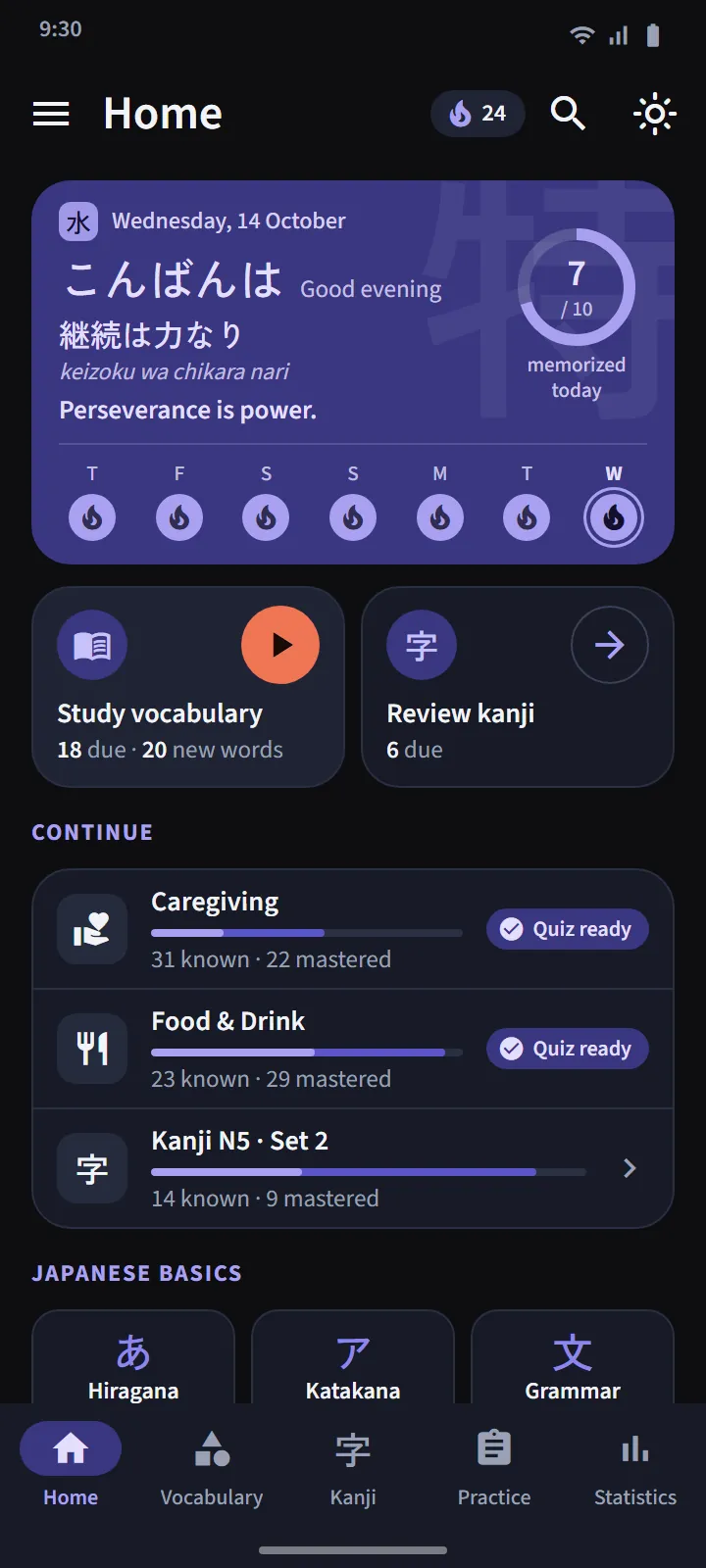
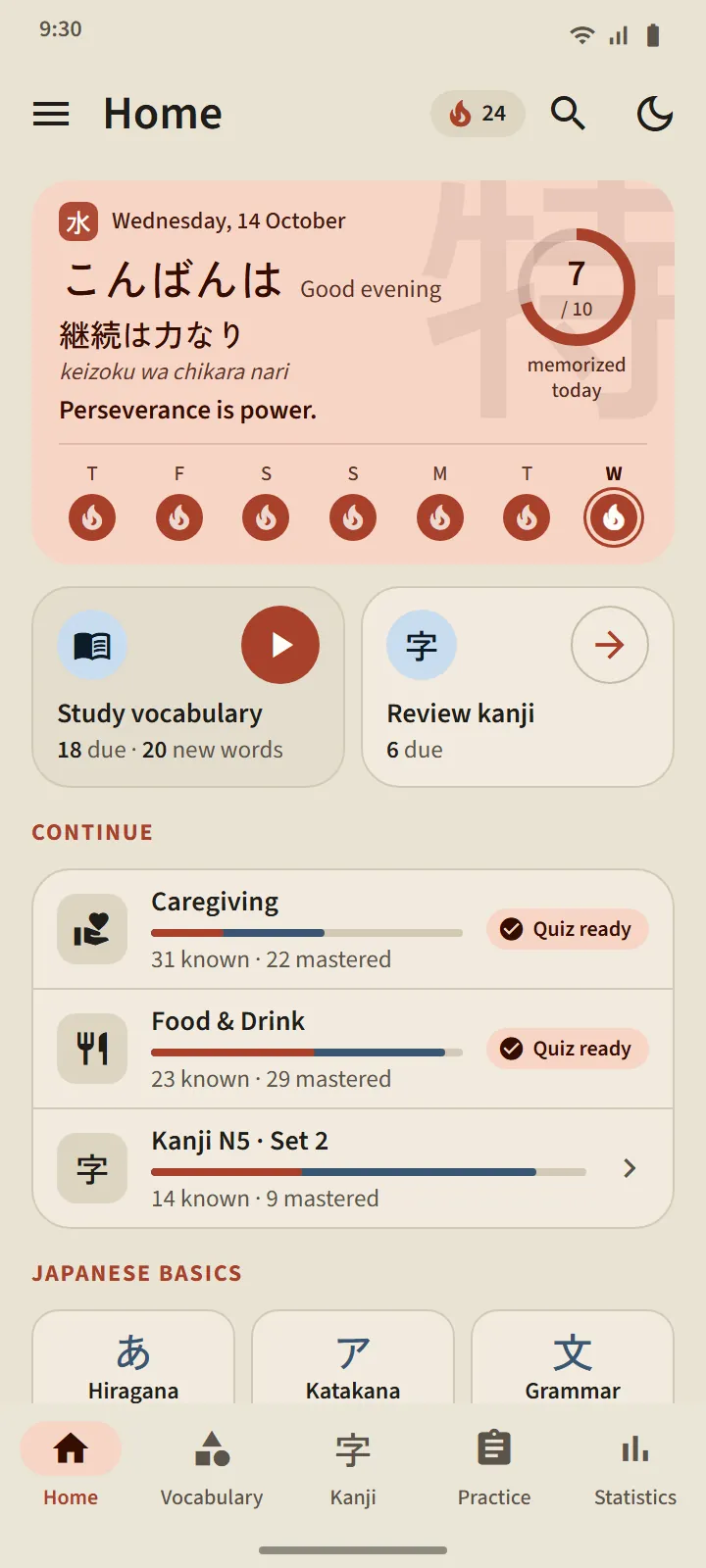
TokuGo home screen: greeting card with a Japanese proverb, daily goal ring, seven-day trail, the Study vocabulary and Review kanji doors, and the Continue list
Learning path

Start anywhere. This is the order we suggest.

Everything is open from day one. The app's home screen marks your next step.

  1. KanaHiragana and katakana: table, sounds, strokes, quizzes
  2. WordsVocabulary flashcards by topic, scheduled by FSRS
  3. Grammar122 N5 lessons with examples and practice
  4. KanjiSets of 25 kanji in Japanese school order
  5. ExamsQuestion sets with official sections and timing

What is inside TokuGo

Vocabulary

Vocabulary that actually sticks

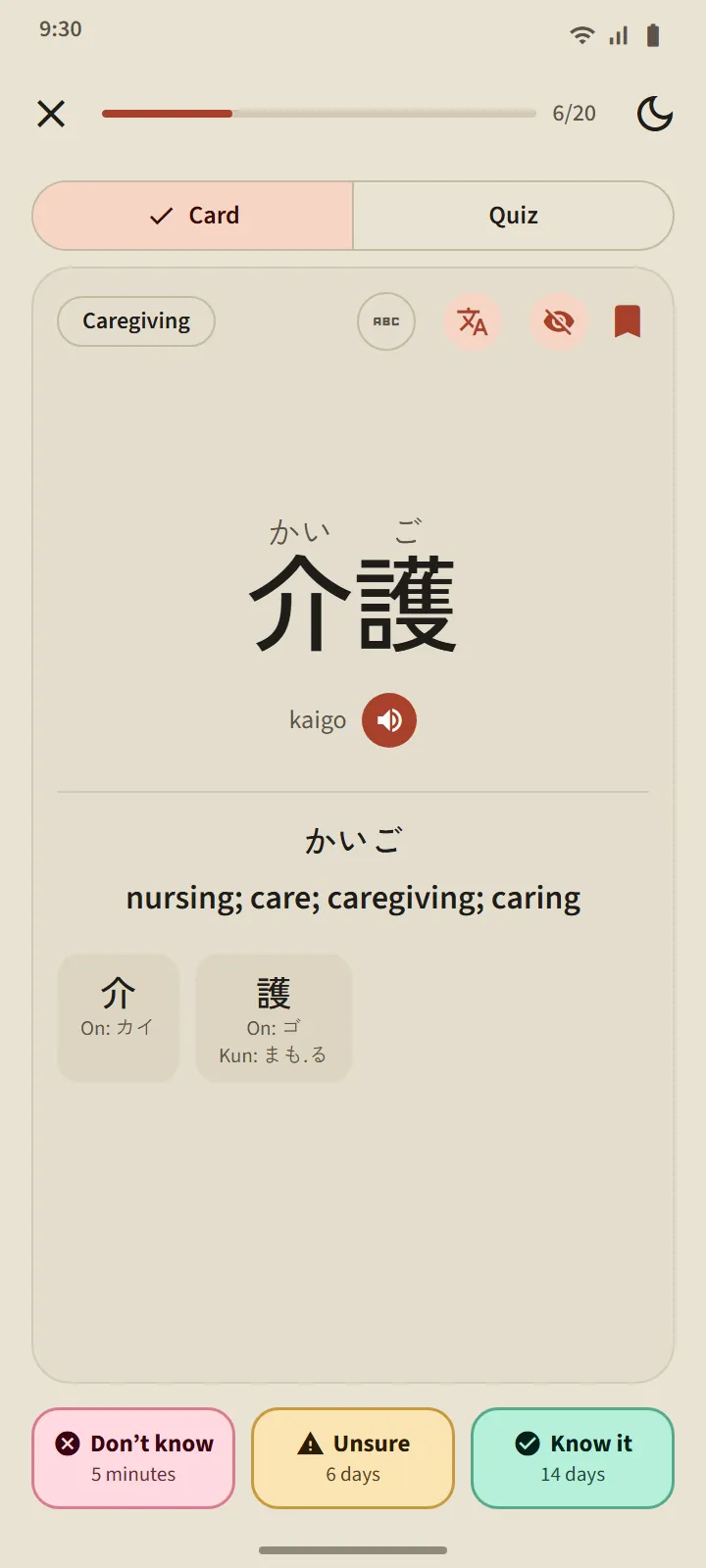
Every card is scheduled with FSRS, a modern spaced-repetition algorithm. You rate yourself, and the app works out when the word comes back: the next interval is printed on every button. Words climb from New through Learning and Known to Mastered, and that last stage can only be reached through a quiz.

  • 95 topics in 11 groups. The Workplace group has 21 topics: caregiving, construction, agriculture, fishery, factory work, hospitality, restaurants, workplace safety, instructions from supervisors, contracts and wages.
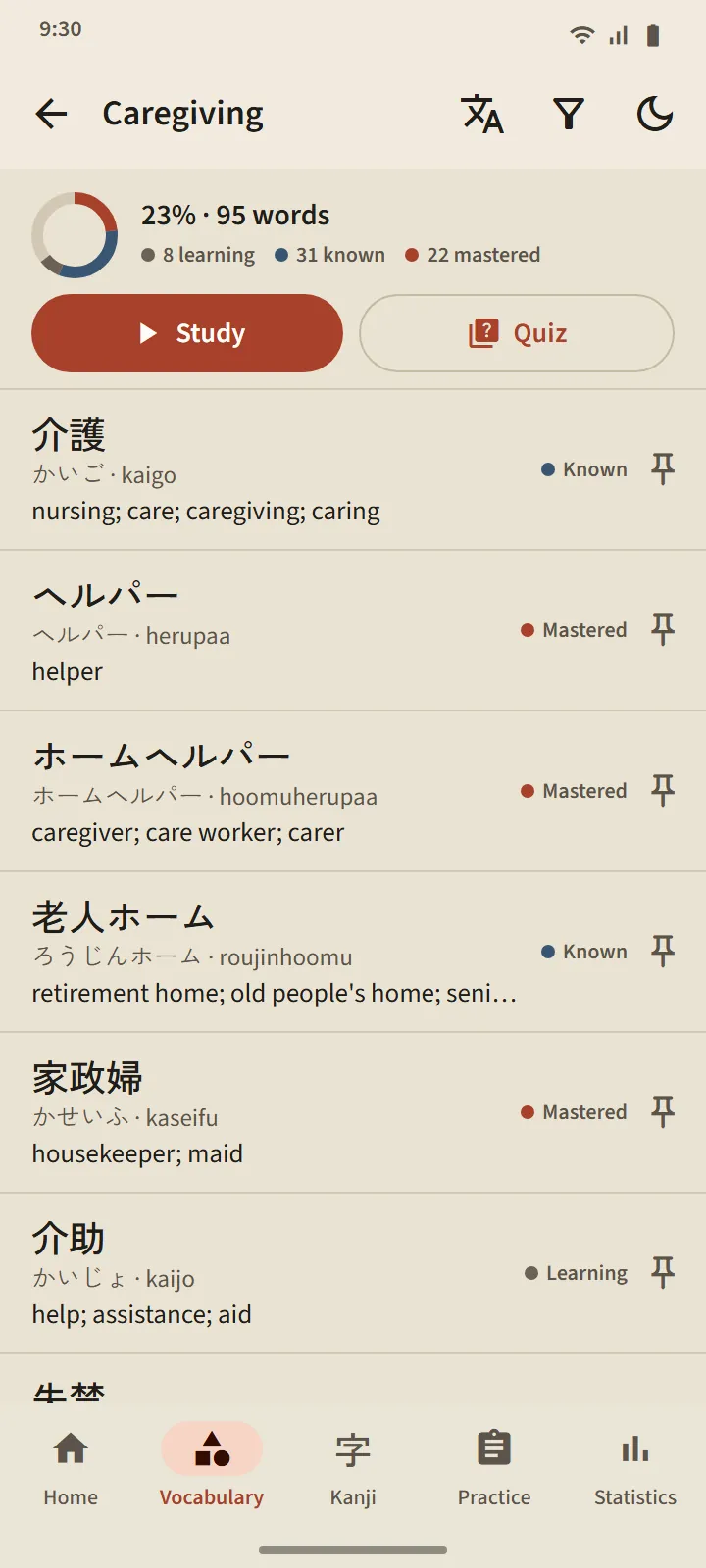
  • One screen per deck. Percent complete, the status of every word, Study and Quiz buttons.
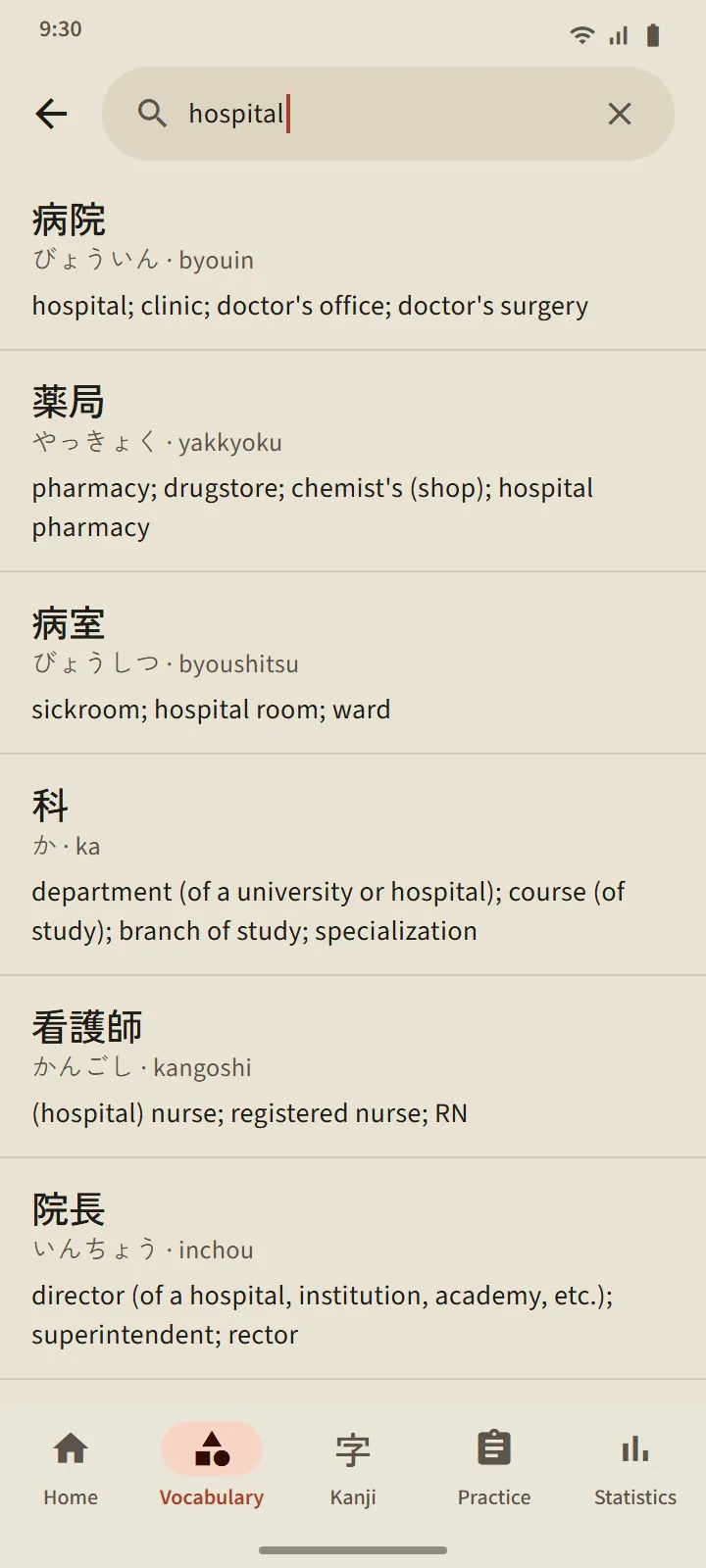
  • A pocket dictionary of 38,085 words. Search by kanji, kana, romaji or meaning.
More about vocabulary →

A flipped flashcard for 介護: reading, romaji, meaning, component kanji, and the Don’t know, Unsure and Know it buttons with their intervals
The Caregiving deck: progress ring, Study and Quiz buttons, and the word list with Learning, Known or Mastered statuses
Kanji

2,230 kanji, set by set, stroke by stroke

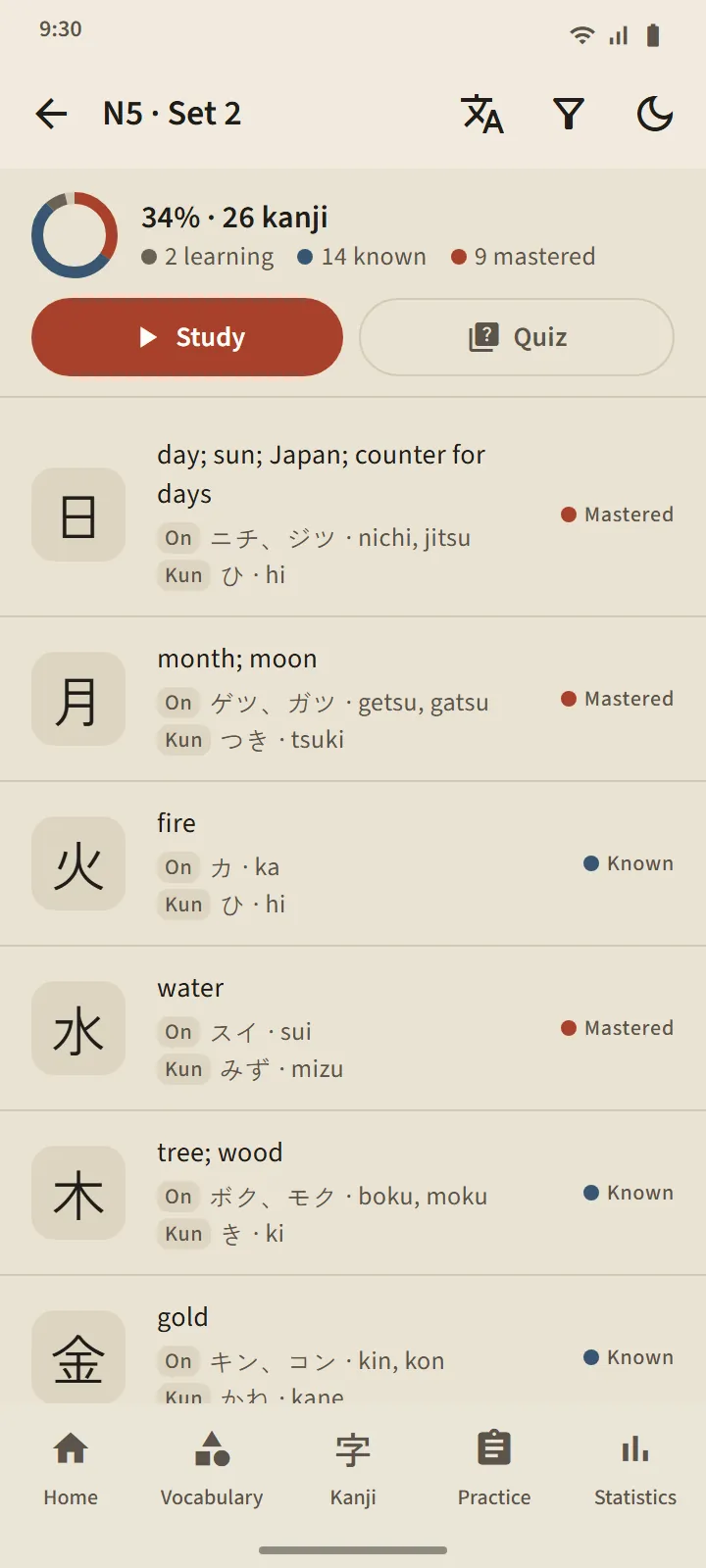
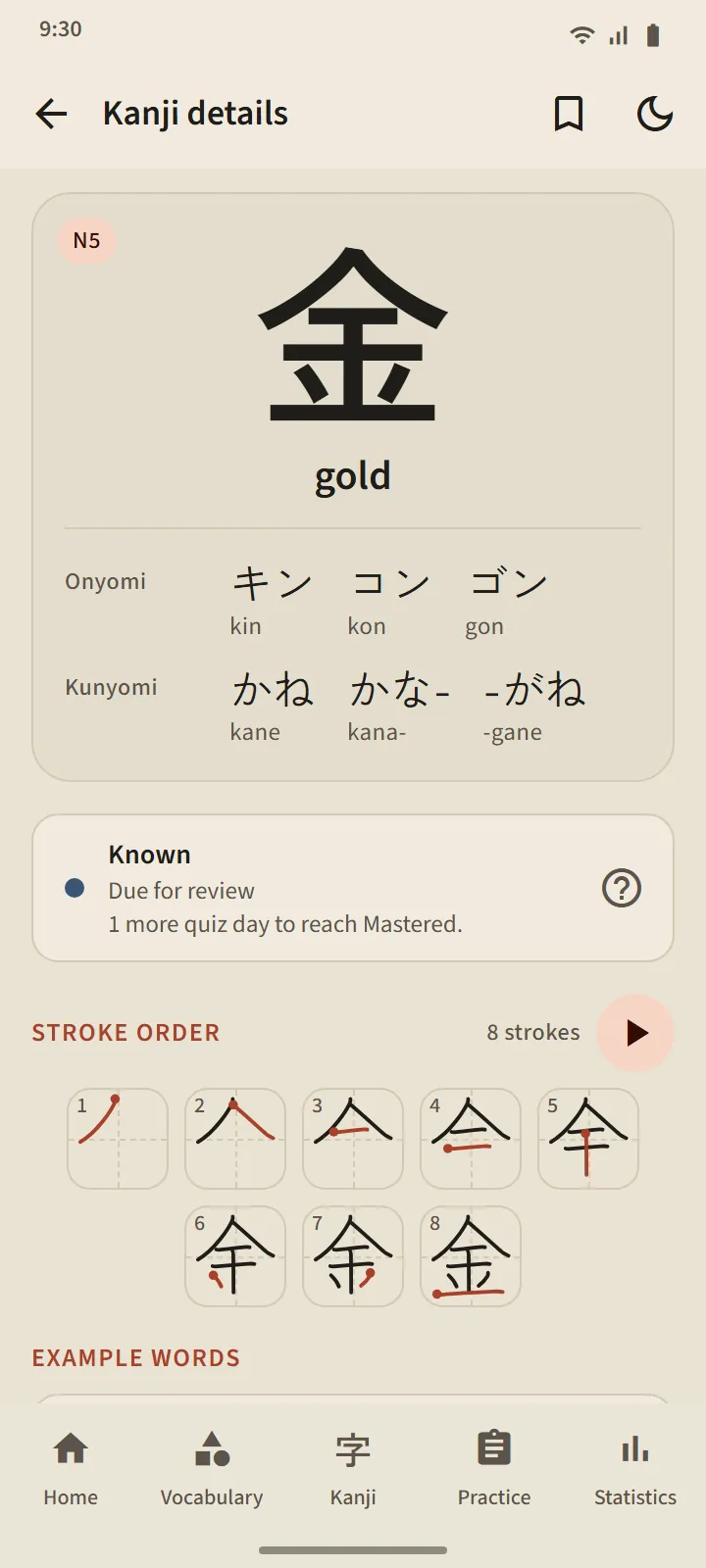
The kanji of each JLPT level are split into sets of about 25, ordered the way Japanese schoolchildren learn them: fewest strokes first. Every kanji has meanings, On and Kun readings with romaji, a stroke-order diagram and example words.

  • Kanji cards and quizzes with the same stages as vocabulary.
  • Kanji review gathers every due kanji from every set.
  • Write kanji with your finger: every stroke is checked for shape, direction and order.

More about kanji →

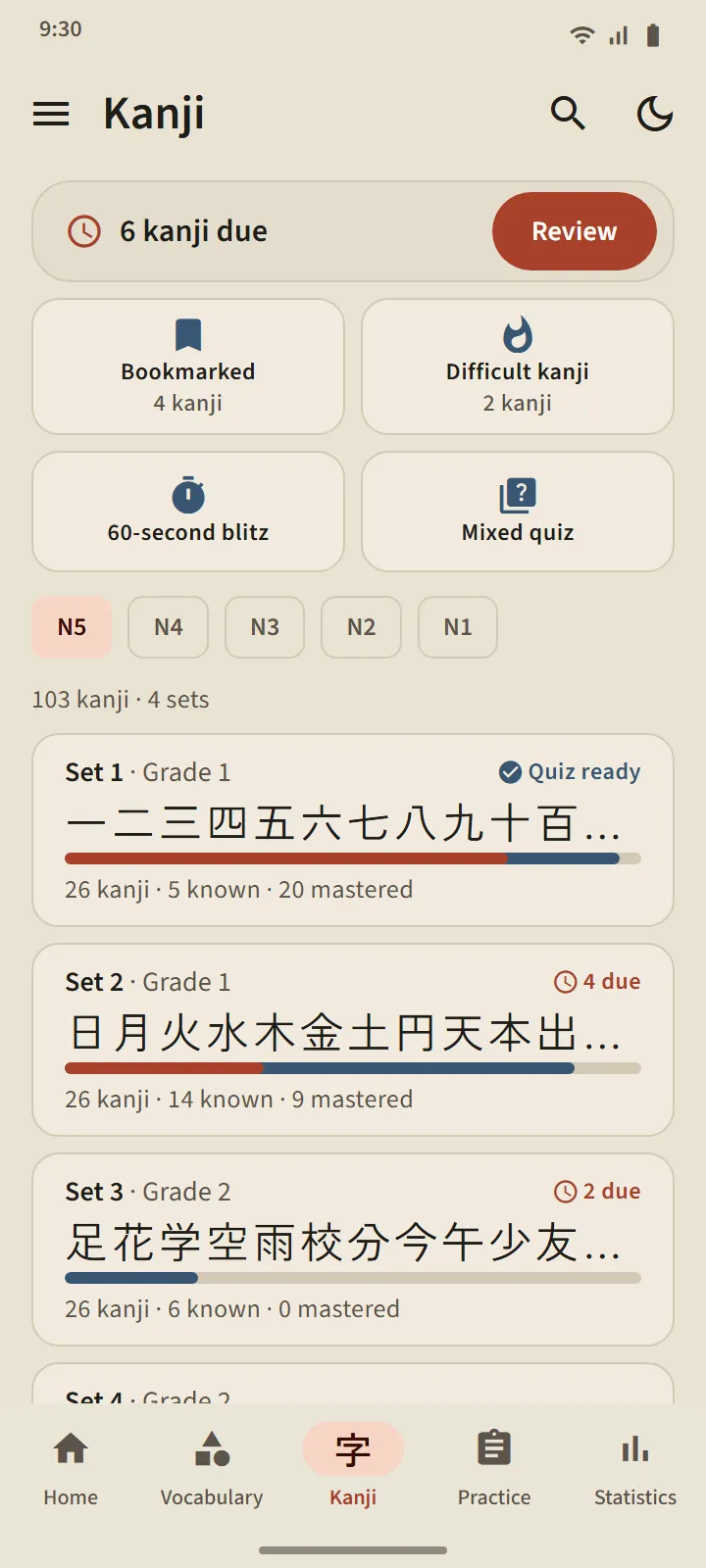
Kanji tab, level N5: kanji sets with their kanji, progress bars, known and mastered counts
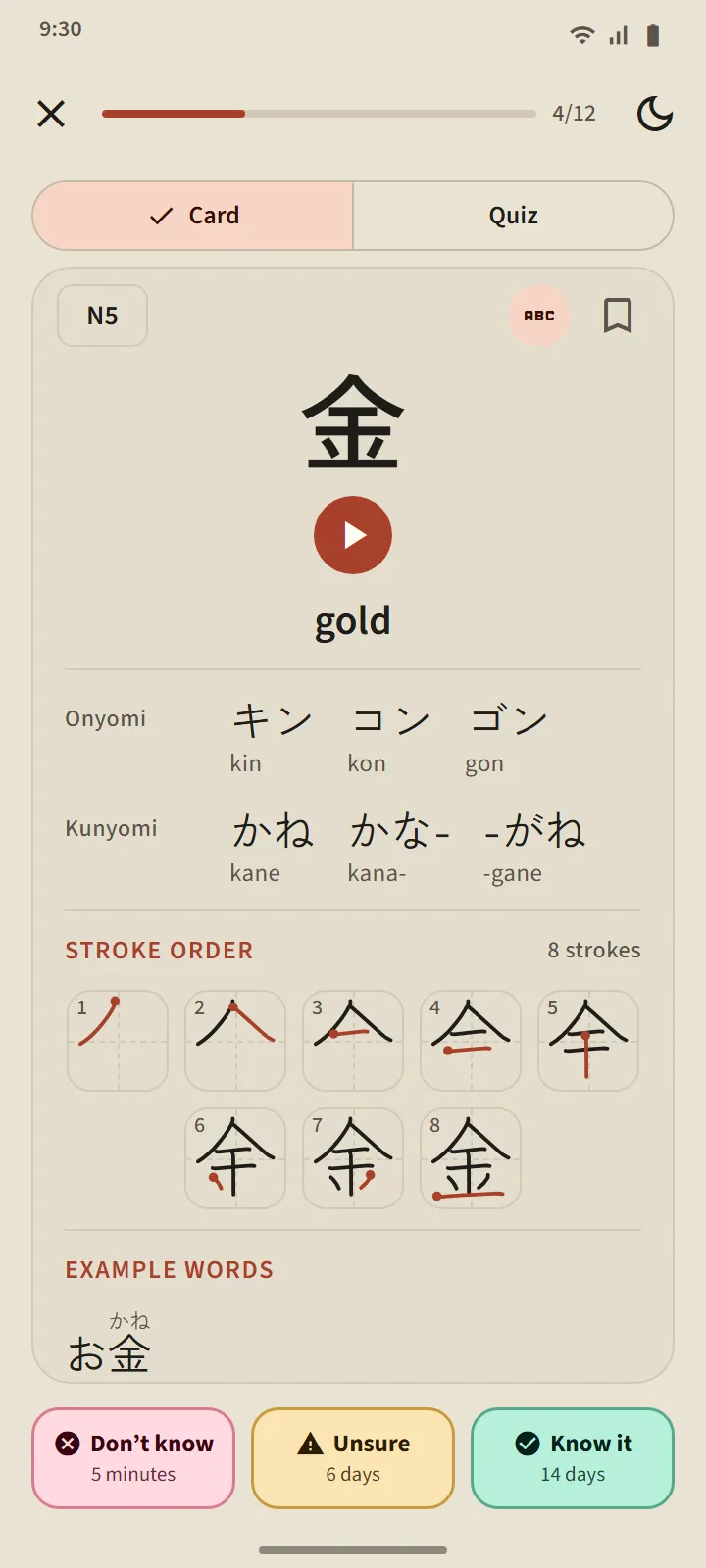
The flipped kanji card for 金: meaning, On and Kun readings, stroke order, and example words
Exam practice

Question sets shaped like the real exams

24 question sets for JFT-Basic and JLPT N5 to N1, each with the sections, question counts and time limits of the real test. Questions come with pictures, documents and announcements; the listening part is read aloud by your phone's Japanese voice.

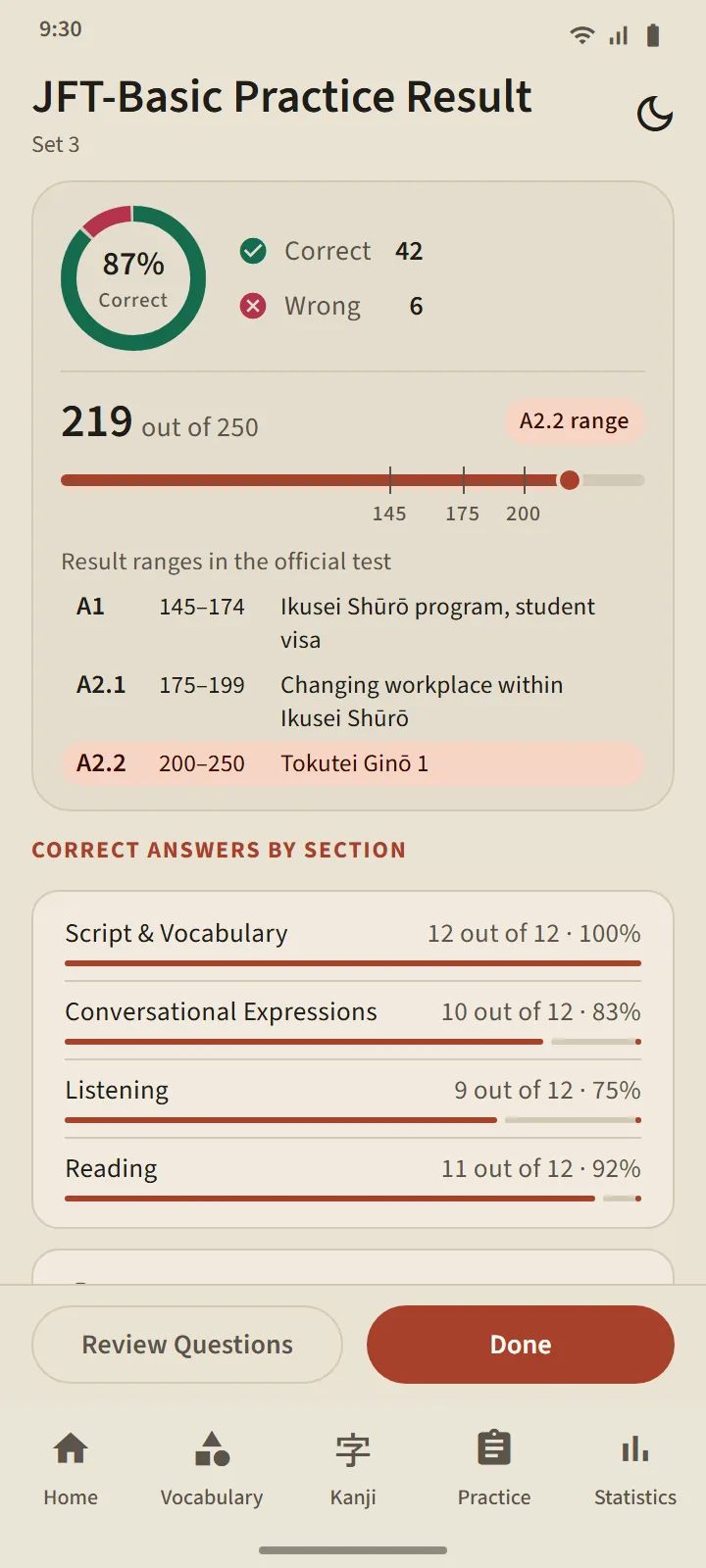
  • Results like the official report: JFT-Basic on the 10–250 scale with the A1, A2.1 and A2.2 bands; JLPT with per-section scores and their minimums.
  • An explanation for every question after the run, including listening scripts.
  • Every set is open on the free version, with a 7-day pause per level.

More about exam practice →

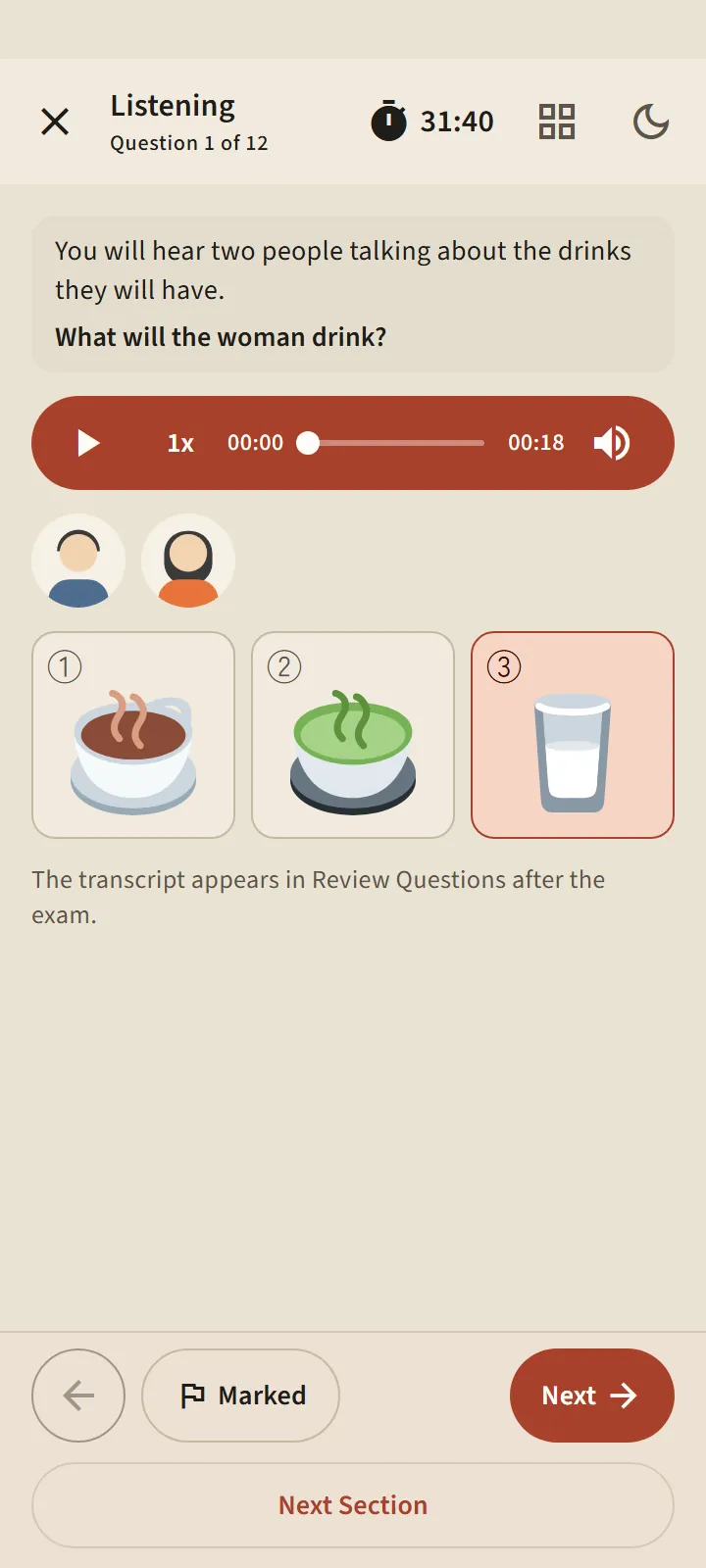
A listening question with an audio player and three picture answer choices
JFT-Basic practice result: the score on a 10–250 line marked with the A1, A2.1 and A2.2 bands, and percent correct per part
Japanese basics

From zero: hiragana, katakana and N5 grammar

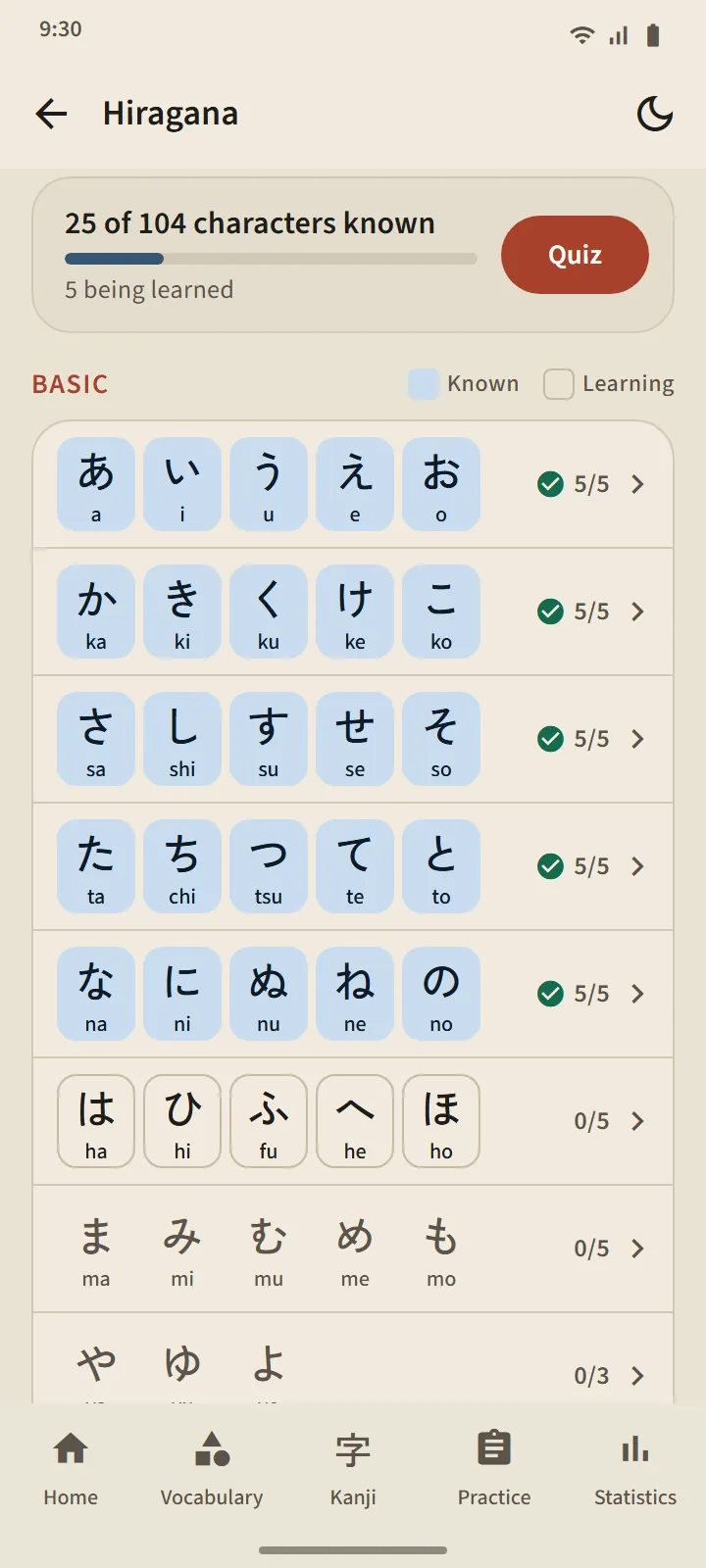
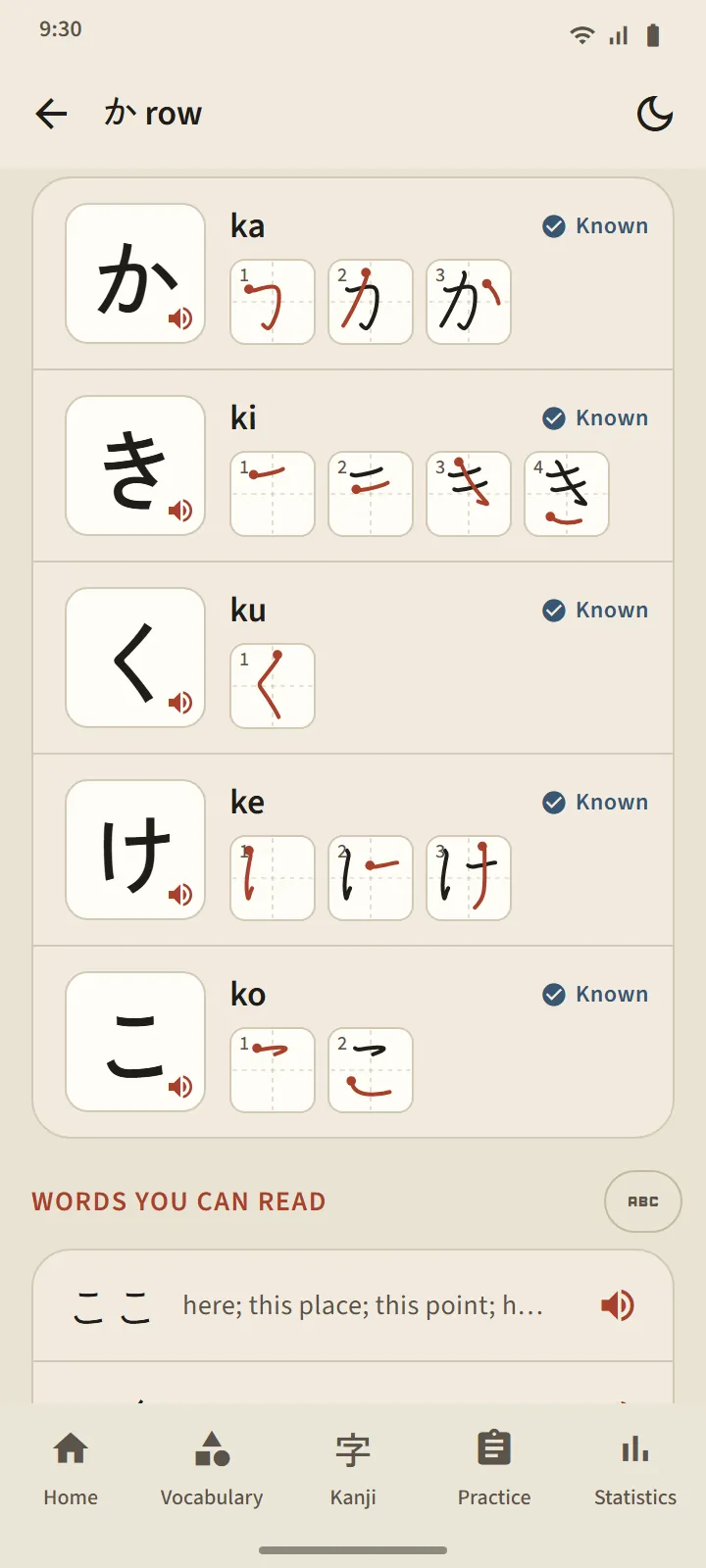
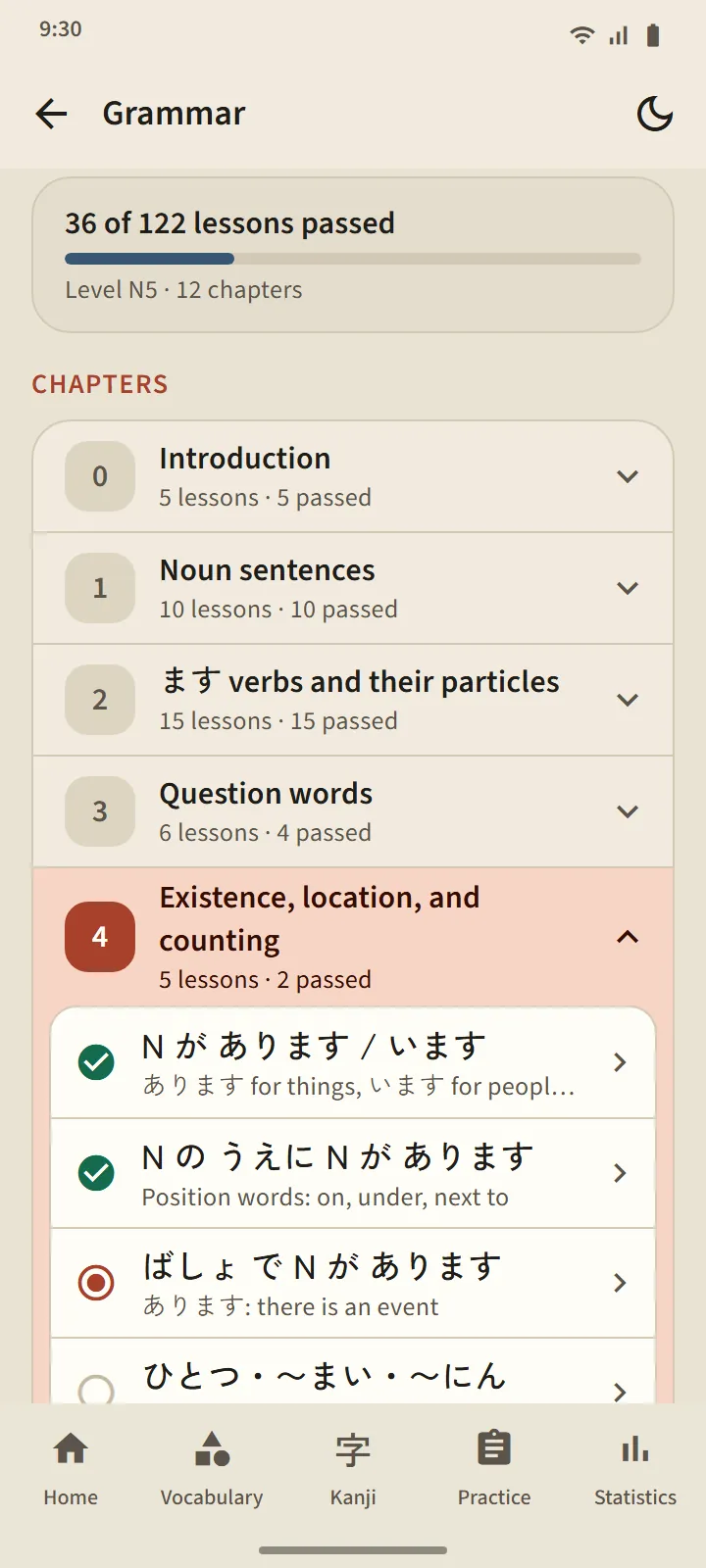
Can't read Japanese script yet? TokuGo's hiragana and katakana tables double as lesson lists: tap a character to hear it, see its stroke order, then take the row quiz. After that, 122 N5 grammar lessons explain sentence patterns one at a time.

  • Words you can already read in every lesson: real words made only of the characters learned so far.
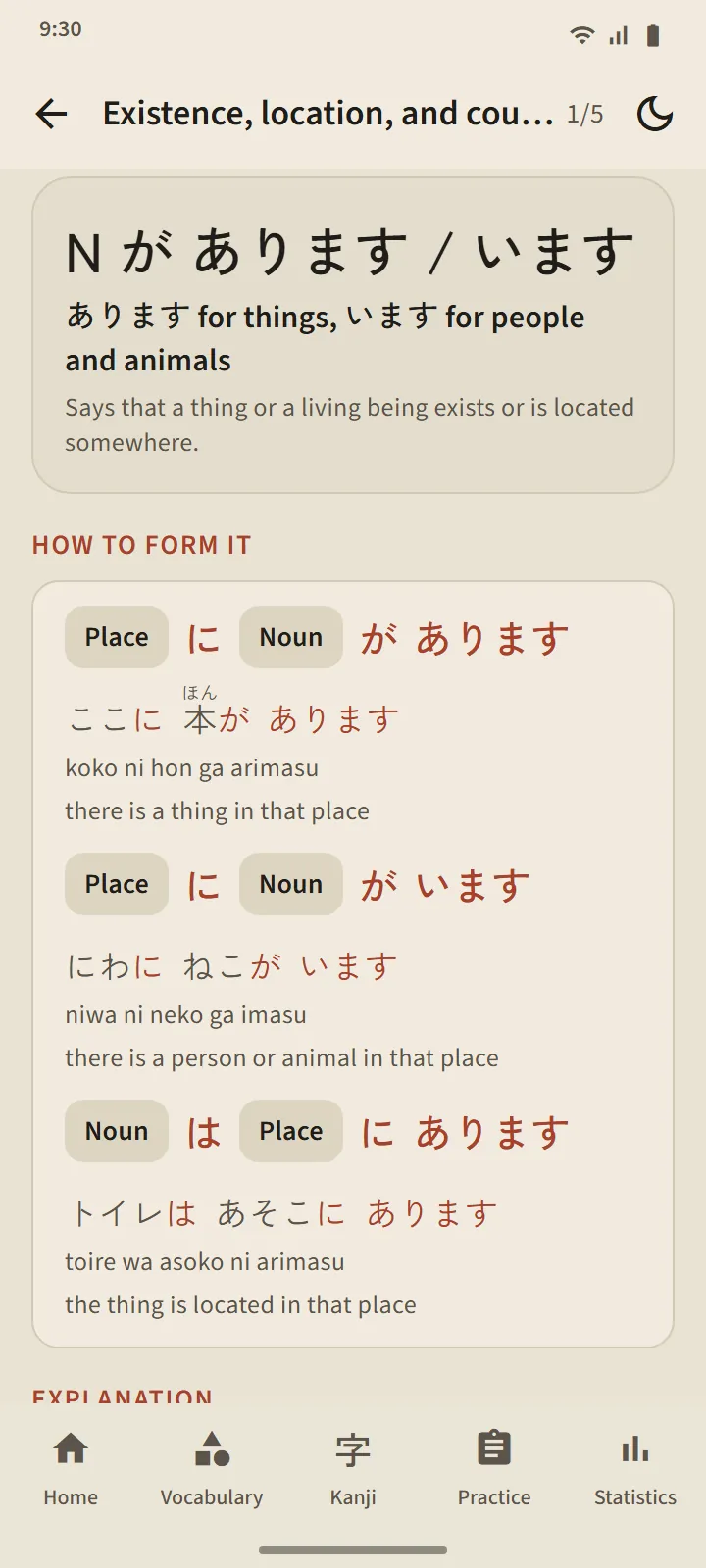
  • Every grammar lesson: pattern, how to form it, examples with furigana you can listen to, then a short practice.
  • Completely free and ad-free on lesson and quiz screens.

More about hiragana and katakana → More about grammar →

Hiragana page: summary of known characters and the character table by row, filled cells for known characters
A grammar lesson page: the sentence pattern, how to form it with examples, and notes
Listen · speak · write

Listen, speak, write

Memorising doesn't stop at the card screen. Build audio decks from the words you choose and listen while you work, say the words you already know into the microphone, and write the kanji you know with your finger.

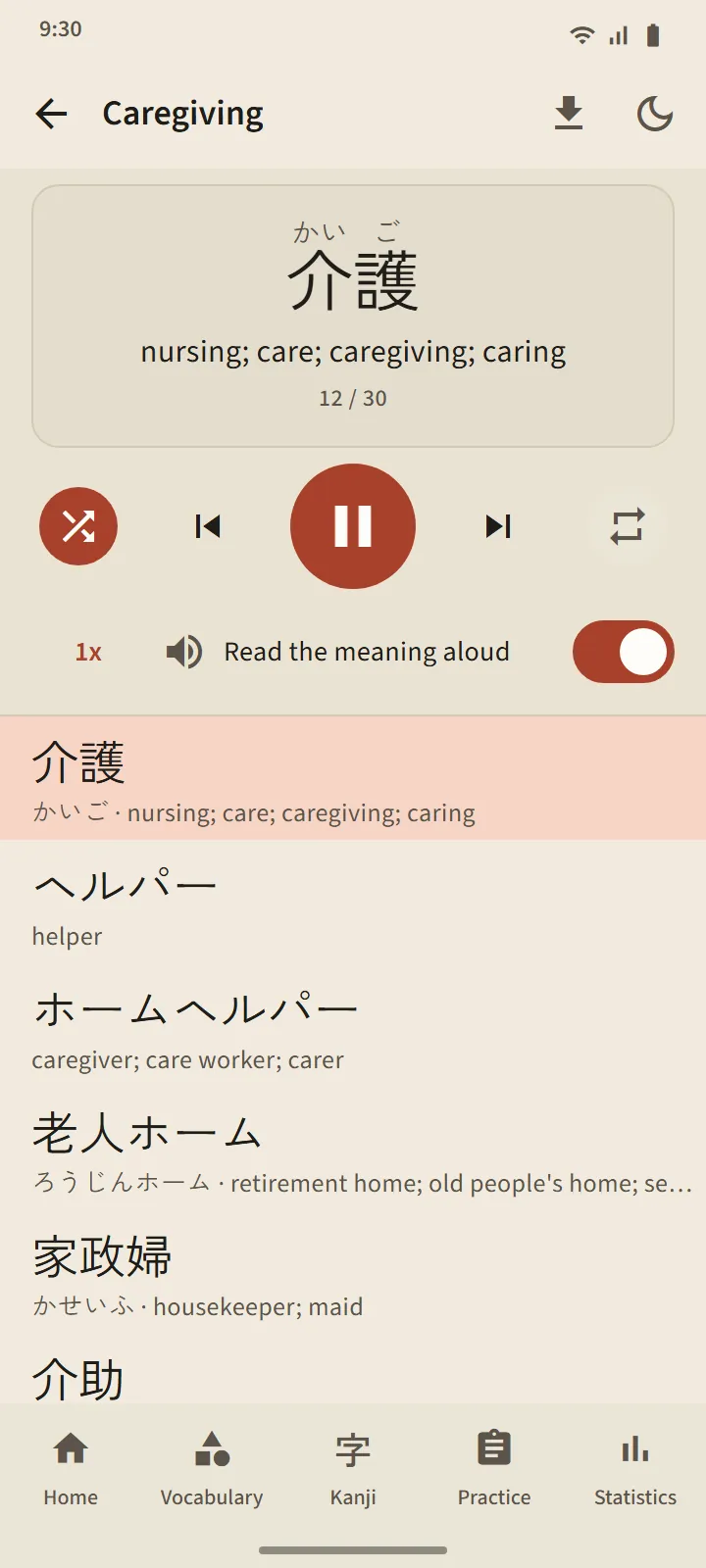
  • Audio decks: every word is read in Japanese, then its meaning; the player keeps going with the screen off.
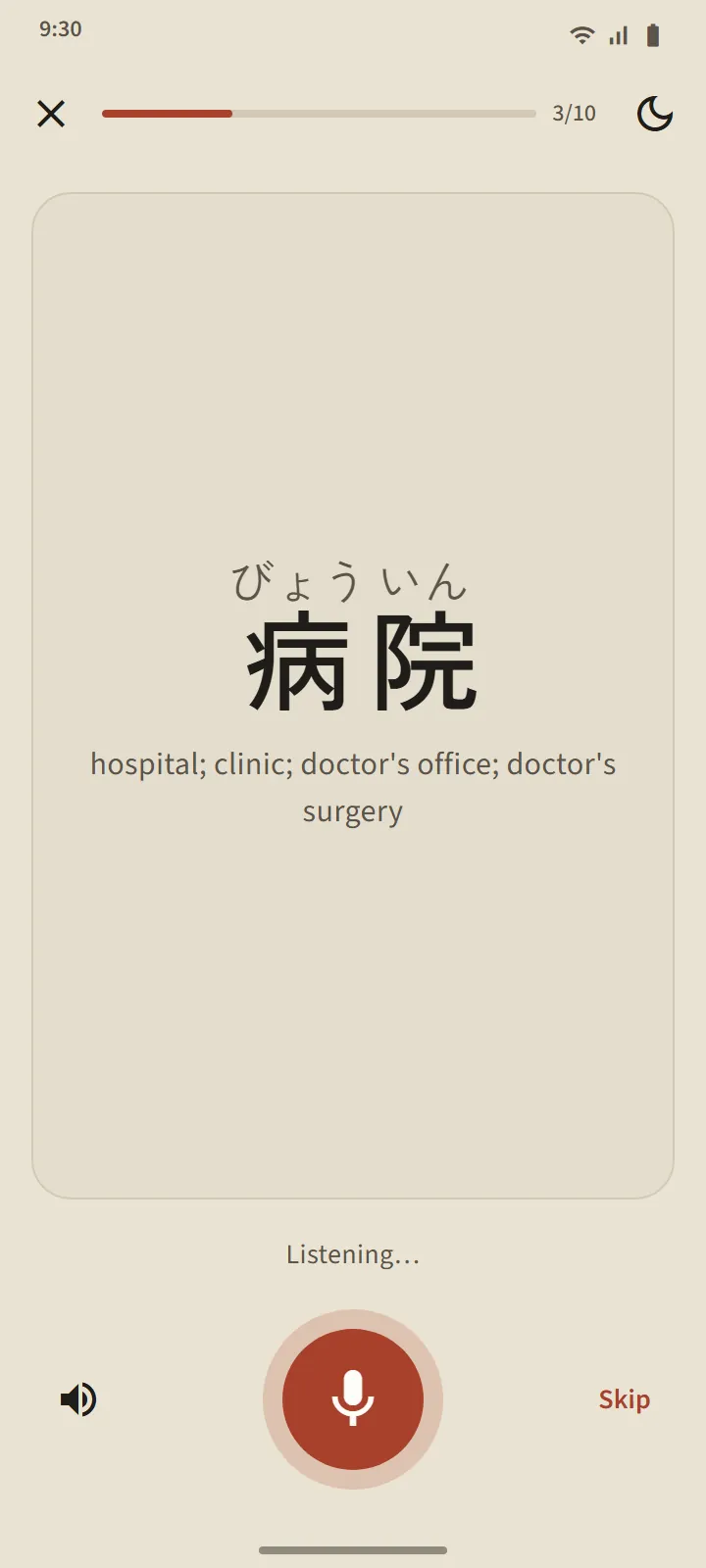
  • Speaking practice: if your phone recognises the word, the next one appears by itself.
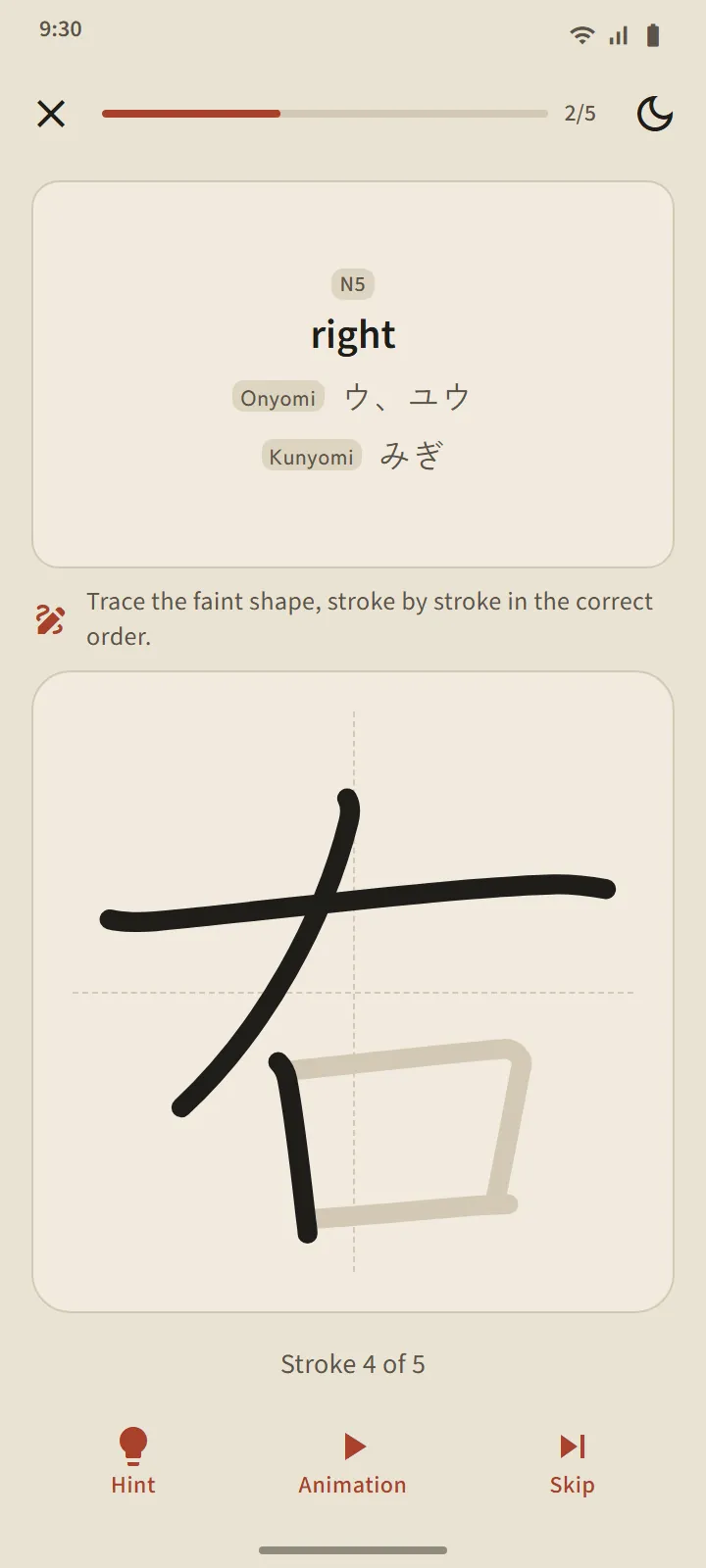
  • Kanji writing: from memory, with a faint outline, or by tapping the strokes in order.

More about audio, speaking and writing →

Audio deck player: the current word shown large with its meaning, playback controls, and the word list
Kanji writing screen: meaning and readings as the prompt, a writing box with guide lines, and the Hint, Animation and Skip buttons
Home & habits

Know exactly what to study today

The home screen greets you with a Japanese proverb that changes every day, a daily-goal ring and a seven-day trail. Below it: due cards, the decks you studied last, and quick practice.

  • The daily goal counts words and kanji you really learned today, not cards you looked at.
  • Reminders when cards fall due, and a daily reminder until the goal is reached.
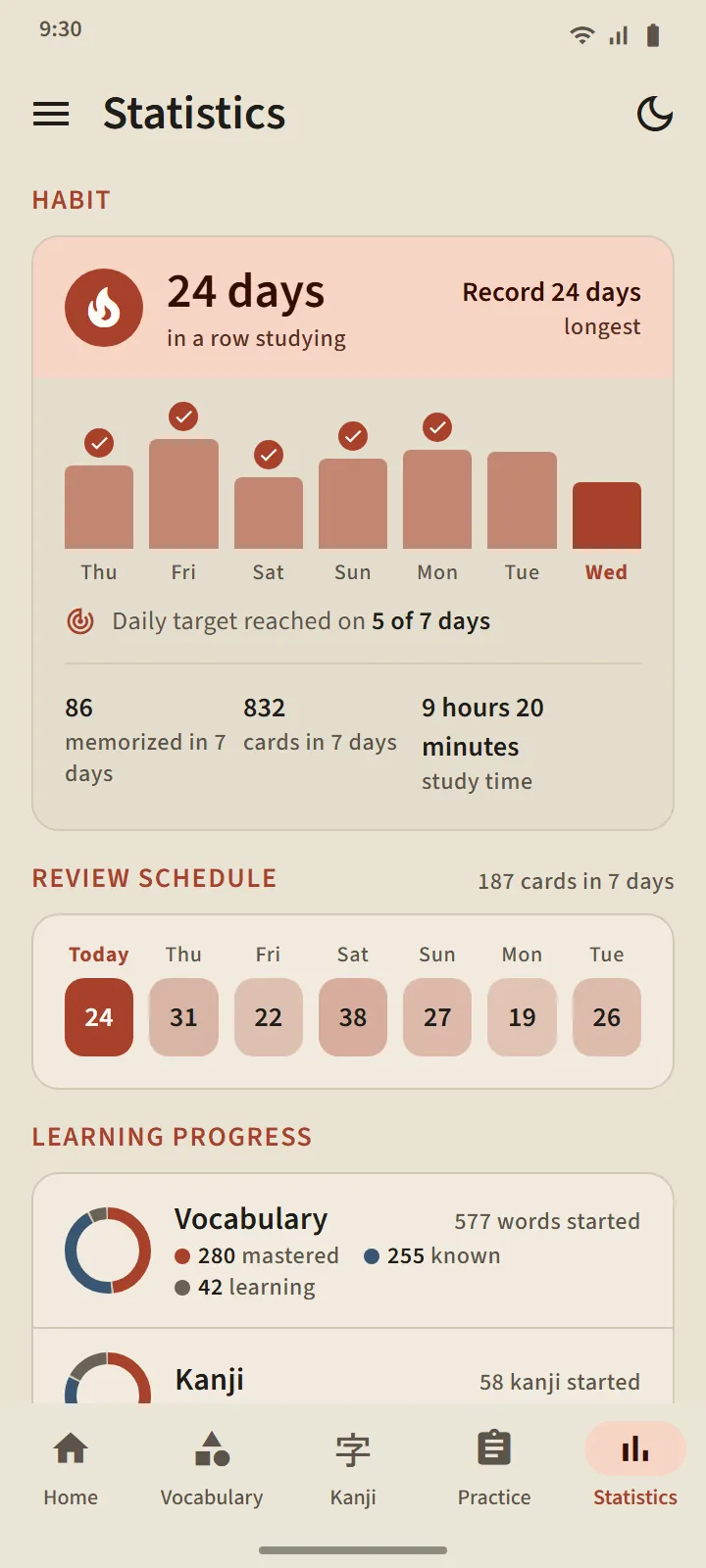
  • Statistics: day streak, review schedule, known words per level, exam score chart, activity map.

Frequently asked questions →

TokuGo home screen: greeting card with a Japanese proverb, daily goal ring, seven-day trail, the Study vocabulary and Review kanji doors, and the Continue list
Statistics tab: study streak, seven-day bars, review schedule, and known vocabulary and kanji
Look & language

Light or dark, in your own language

A paper-coloured light theme for daytime and an indigo dark theme for late study, switched from the header of every screen. The interface comes in 13 languages, and the language of word meanings can be chosen separately.

TokuGo home screen: greeting card with a Japanese proverb, daily goal ring, seven-day trail, the Study vocabulary and Review kanji doors, and the Continue list
Home screen in the dark theme
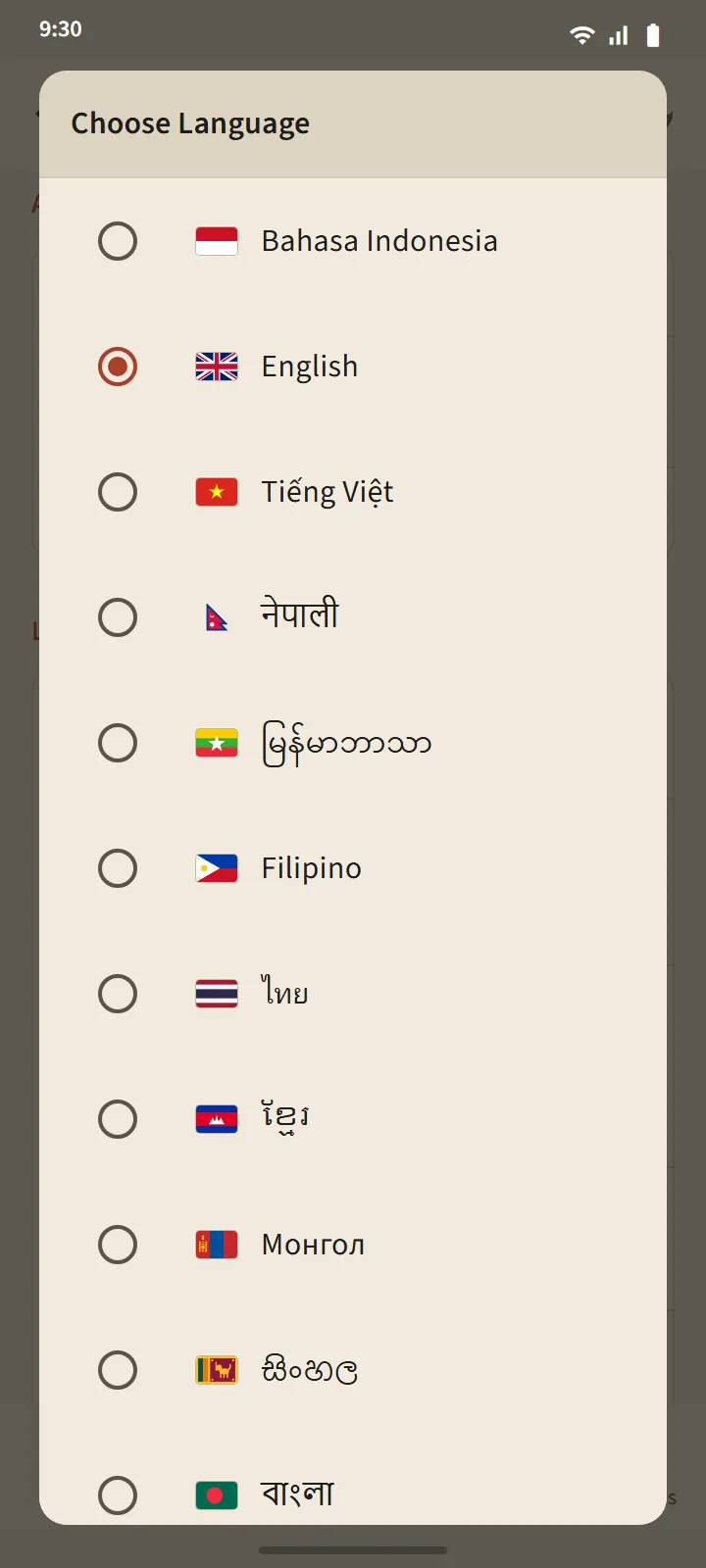
The Choose Language dialog with thirteen interface languages

Explore the screens

Vocabulary

TokuGo home screen: greeting card with a Japanese proverb, daily goal ring, seven-day trail, the Study vocabulary and Review kanji doors, and the Continue list
HomeDaily greeting, goal ring, 7-day trail
A flipped flashcard for 介護: reading, romaji, meaning, component kanji, and the Don’t know, Unsure and Know it buttons with their intervals
Vocabulary cardThree buttons with their next intervals
The Caregiving deck: progress ring, Study and Quiz buttons, and the word list with Learning, Known or Mastered statuses
Deck screenPercent complete and the status of every word
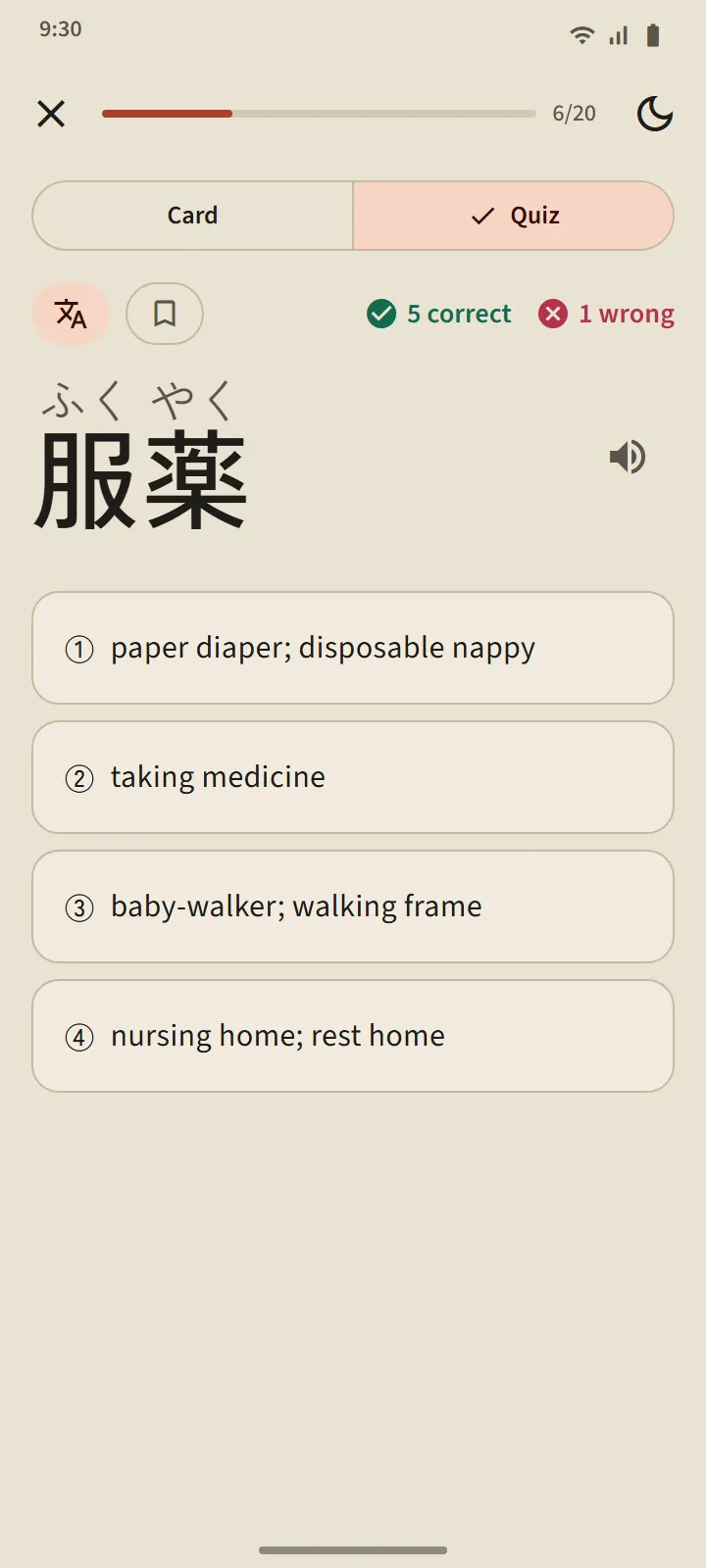
A quiz question: a Japanese word with four possible meanings
Deck quizThe only road to Mastered
Dictionary search results: 病院 and other words with readings, romaji and meanings
Pocket dictionarySearch by kanji, kana, romaji or meaning

Kanji

Kanji tab, level N5: kanji sets with their kanji, progress bars, known and mastered counts
Kanji tabSets of 25 in school order
One N5 kanji set: progress ring, Study and Quiz buttons, and the kanji list with meanings, On and Kun readings and stages
Kanji setMeaning and On, Kun readings of each kanji
The flipped kanji card for 金: meaning, On and Kun readings, stroke order, and example words
Kanji cardMeaning, readings, strokes, example words
Kanji detail for 金: stage, readings, stroke-order diagram and example words
Kanji detailOne frame per stroke
Kanji writing screen: meaning and readings as the prompt, a writing box with guide lines, and the Hint, Animation and Skip buttons
Kanji writingStroke by stroke, checked as you go

From zero

Hiragana page: summary of known characters and the character table by row, filled cells for known characters
HiraganaA table that doubles as a lesson list
The か row lesson: five tappable characters, stroke order, and words you can already read
Row lessonSounds, strokes, words you can read
Grammar page: lessons-passed summary and the chapter list with the status of every lesson
N5 grammar122 lessons in 12 chapters
A grammar lesson page: the sentence pattern, how to form it with examples, and notes
Grammar lessonPattern, formation, examples, practice
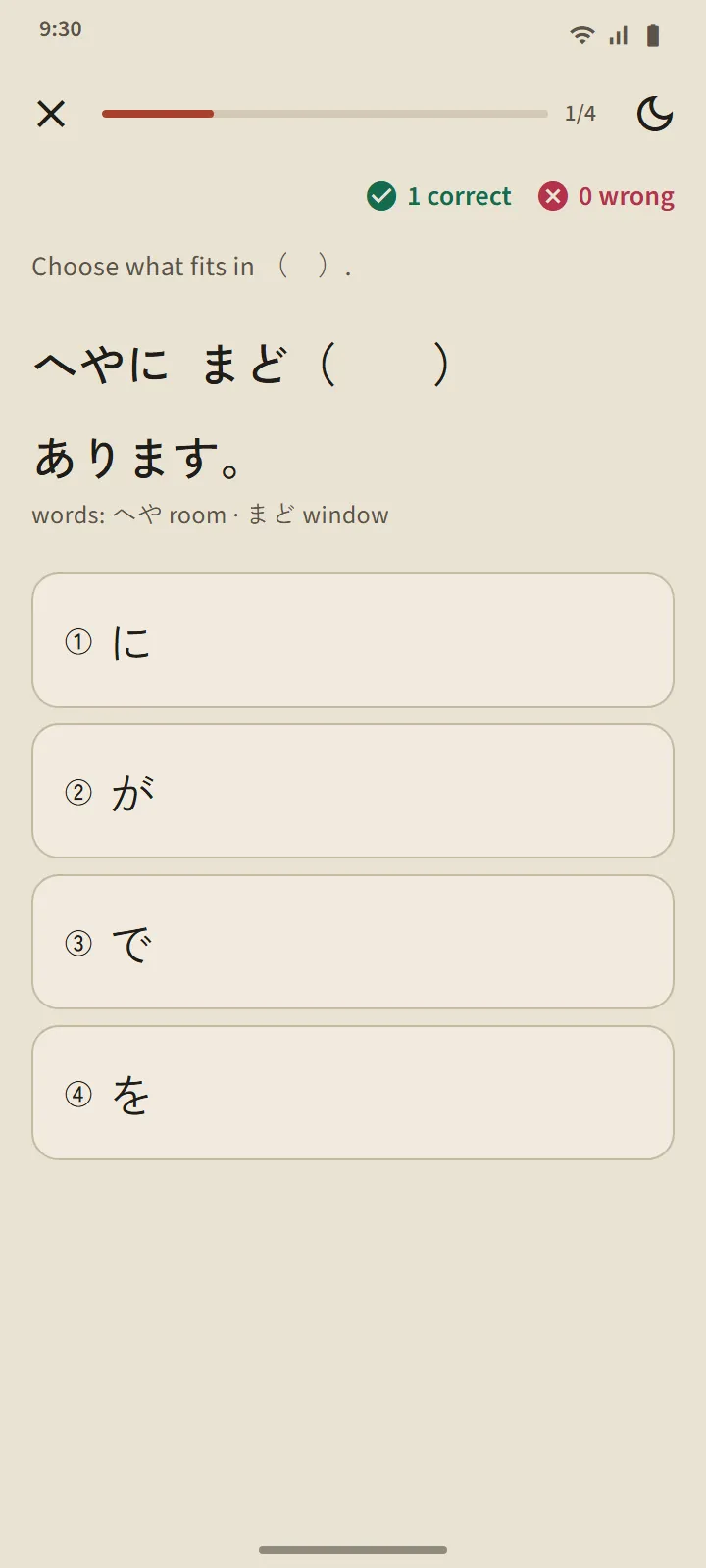
A grammar lesson practice question: a sentence with a blank and four answer choices
Lesson practiceShort questions with explanations

Exam practice

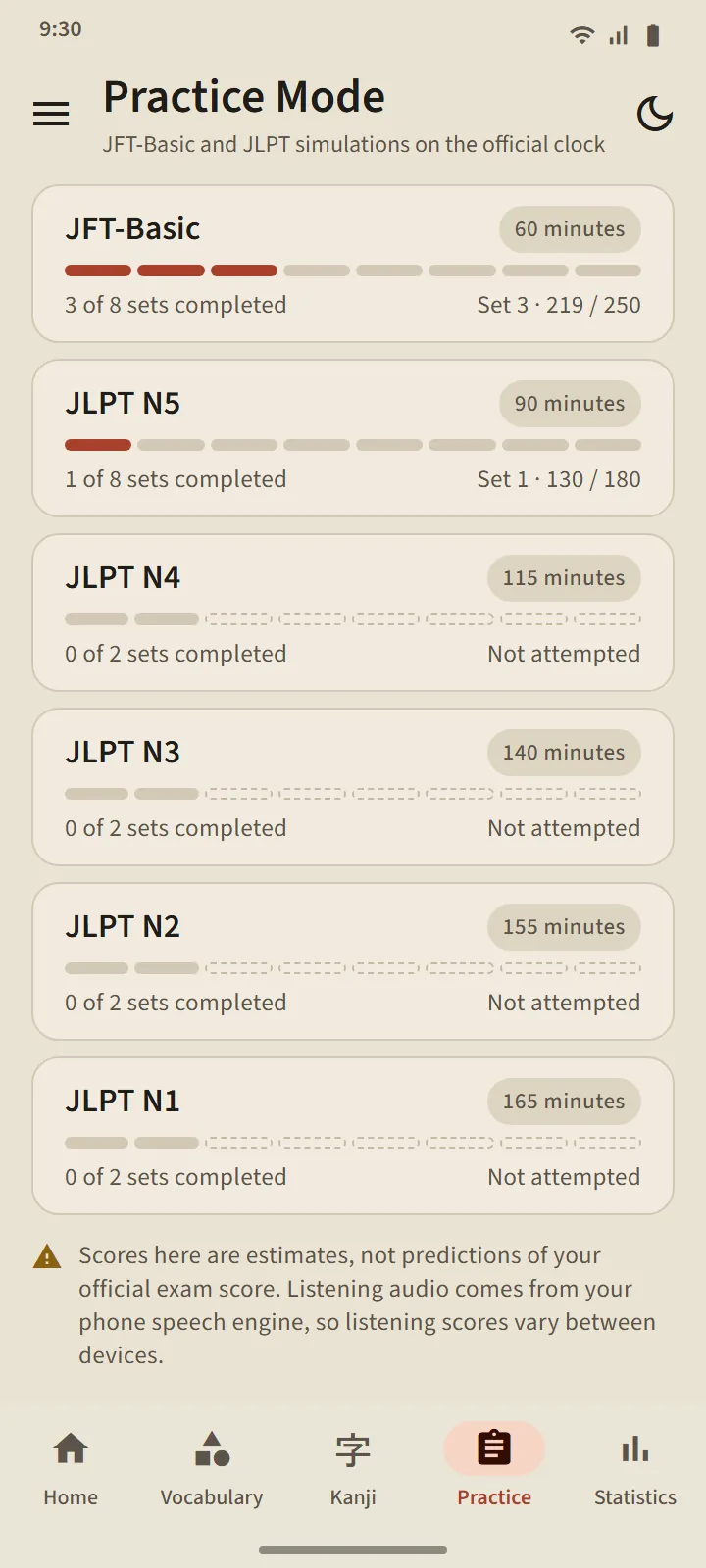
Practice tab: six level cards from JFT-Basic 60 minutes to JLPT N1 165 minutes, with sets completed
Practice tabJFT-Basic and JLPT N5–N1
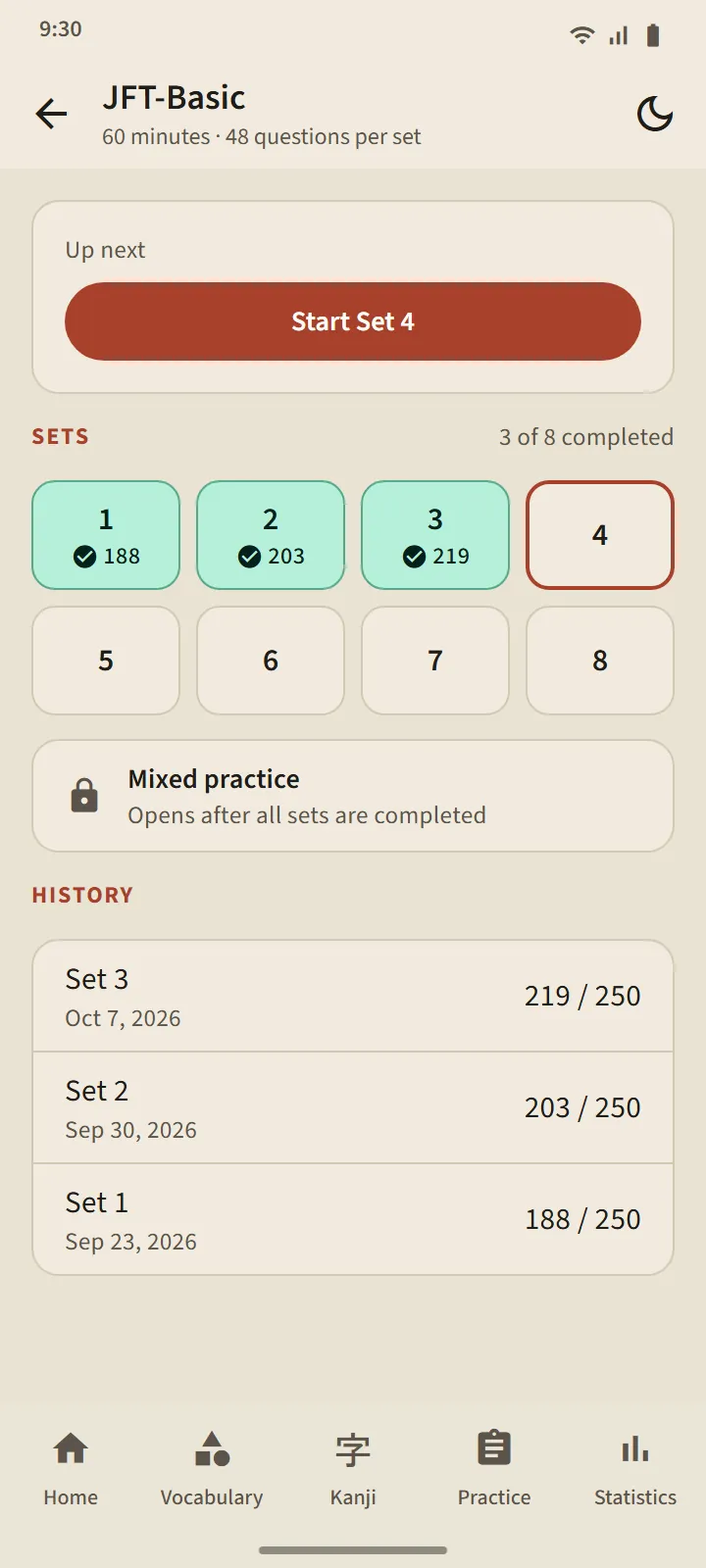
The JFT-Basic level page: start-next-set button, eight set tiles, mixed practice, and history
Level pageNumbered sets and history
A listening question with an audio player and three picture answer choices
Listening questionRead by your phone’s Japanese voice, picture choices
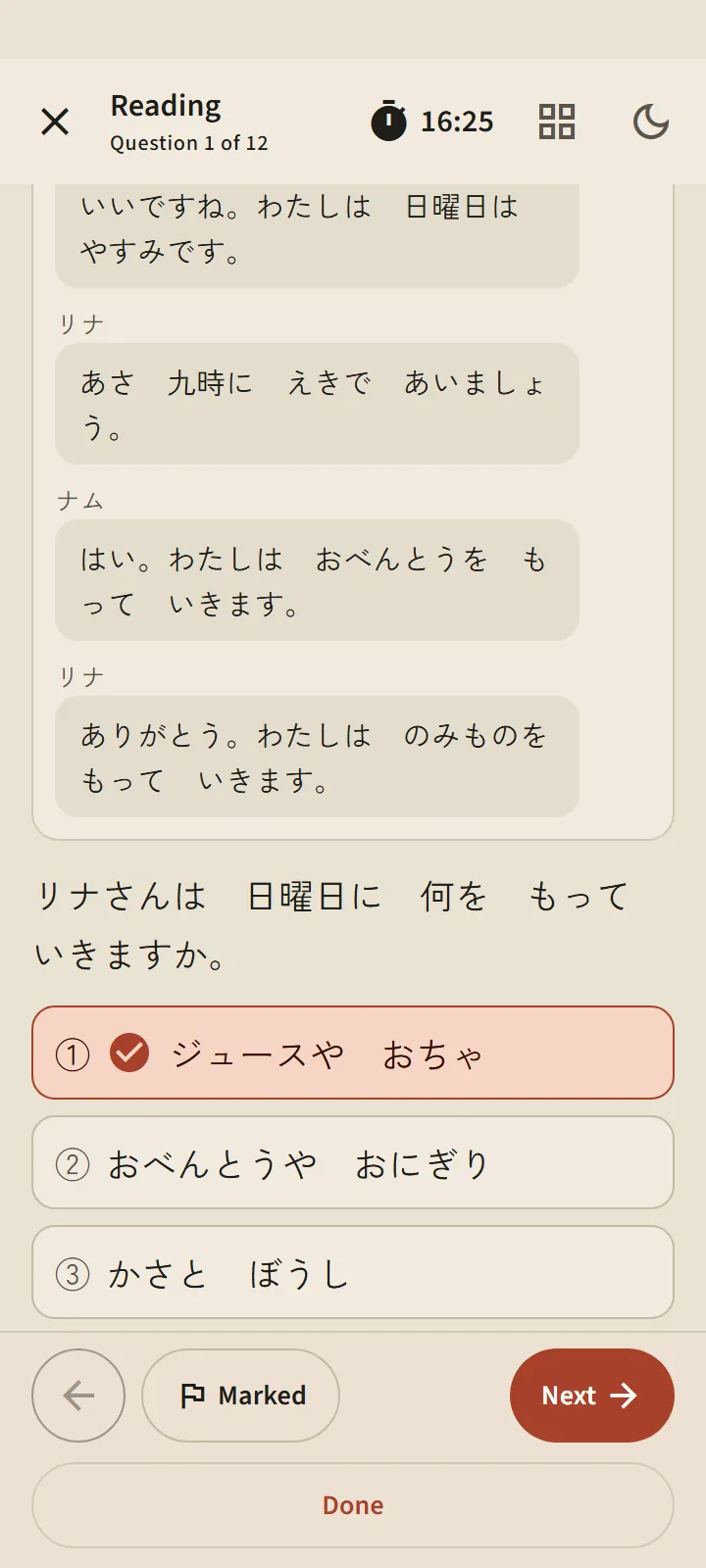
A reading question shown as a text-message conversation with a question and answer choices
Reading questionMessages, memos and documents like in the exam
JFT-Basic practice result: the score on a 10–250 line marked with the A1, A2.1 and A2.2 bands, and percent correct per part
Practice resultThe 10–250 scale and the A1, A2.1, A2.2 bands

Listen, speak and more

Audio deck player: the current word shown large with its meaning, playback controls, and the word list
Audio decksShuffle, repeat, speed, read meanings
Speaking practice card: a word with its meaning and a microphone button
Speaking practiceSay the words you already know
Statistics tab: study streak, seven-day bars, review schedule, and known vocabulary and kanji
StatisticsStreak, review schedule, what you know
The Choose Language dialog with thirteen interface languages
Choose language13 interface languages
Home screen in the dark theme
Dark themeIndigo night for late study

Screens are redrawn from app version 1.5 with sample data. Practice scores are an estimate for tracking progress, not a prediction of your official result.

Free to start

The free version is not a trial. It is enough to learn from zero and try every kind of exam, with ads.

  • 9,406 words: the top 100 of every topic, including almost all N5 vocabulary.
  • All 284 N5 and N4 kanji.
  • Hiragana, katakana and the 122 N5 grammar lessons, with no ads on lesson screens.
  • Every practice exam set: one run per level every 7 days, plus one more by watching an ad.
  • The dictionary, 3 audio decks, speaking practice and kanji writing.

On the free version, starting a study session or a practice exam needs an internet connection.

Premium

For those who want everything open. Bought inside the app through Google Play; the plans and prices are listed there.

  • All 38,085 words and the N3–N1 kanji
  • No ads
  • Study offline
  • Exam practice without the 7-day pause
  • Unlimited audio decks, downloadable as audio files

Words you have already studied stay reviewable even if a subscription ends.

Your study records stay on your phone

No account, no sign-up, no password. The developer has no server: your study records stay on your phone and are never sent to the developer. Speaking practice uses your phone's speech-recognition service; the app does not record or store your voice.

Ads, usage measurement and crash reports use Google services. The details are in the privacy policy.

Privacy Policy →

Frequently asked questions

Is TokuGo free?

Yes. The free version gives you 9,406 words (the top 100 of every topic), all N5 and N4 kanji, hiragana, katakana, 122 N5 grammar lessons, every practice exam set with a 7-day pause per level, the dictionary and three audio decks, with ads. Premium unlocks every word and kanji, removes ads, and adds offline study and exam practice without the pause.

Does it work offline?

All content ships inside the app; nothing is downloaded while you study. On the free version, starting a study session or a practice exam needs an internet connection; Premium works fully offline. Japanese audio comes from your phone's text-to-speech engine, so its voice data needs to be installed once.

Do I need an account?

No. There is no account, sign-up or password. Study records stay on your phone; to move to a new phone, export a backup file from the side panel and import it on the new one.

Which languages are supported?

The interface comes in 13 languages: Indonesian, English, Vietnamese, Nepali, Burmese, Filipino, Thai, Khmer, Mongolian, Sinhala, Bengali, Hindi and Chinese. Word meanings are complete in 11 languages; Khmer and Chinese cover all free words, with the rest shown in English. Grammar lessons and exam explanations are available in 12 languages.

Are practice scores the same as official scores?

No. TokuGo scores are an estimate based on the percentage of correct answers, for tracking progress. The official exams use a different scaled scoring, and the listening voice from your phone's text-to-speech differs between devices.

Where do the words, kanji and questions come from?

Vocabulary and kanji from JMdict and KANJIDIC (Electronic Dictionary Research and Development Group), stroke order from KanjiVG, word frequency from wordfreq. Grammar lessons and all practice questions were written for TokuGo and reviewed in several passes before release; no official questions are copied.

Which phones are supported?

Android 7.0 and up. For pronunciation and listening questions the phone needs a Japanese voice (usually from Google Text-to-speech); if it is missing, the app shows how to install one.

All questions and answers →